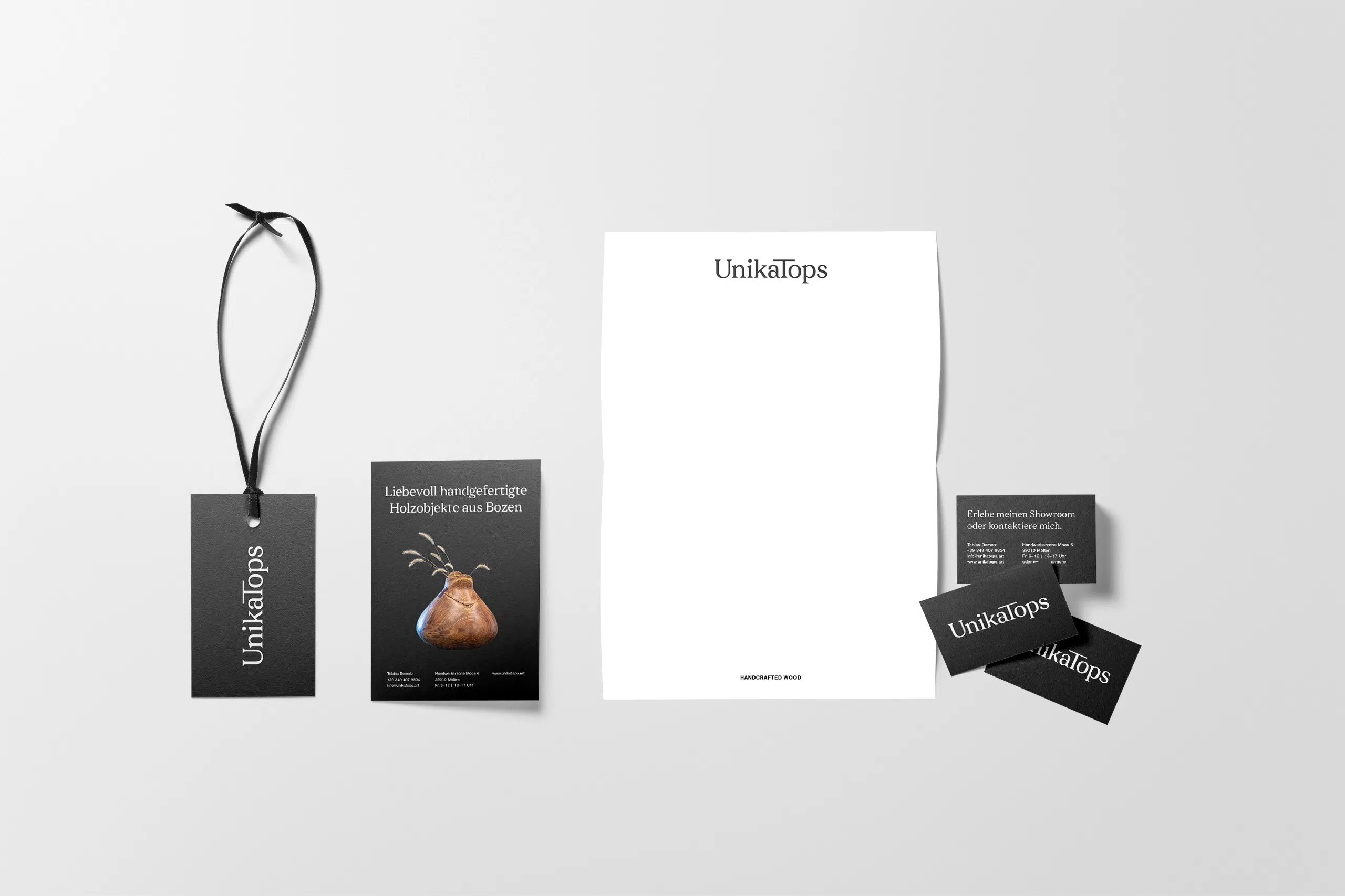

As a brand designer with over 12 years’ experience, I’ve tested dozens of platforms to find the best premium mockups for my client presentations—so you don’t have to.
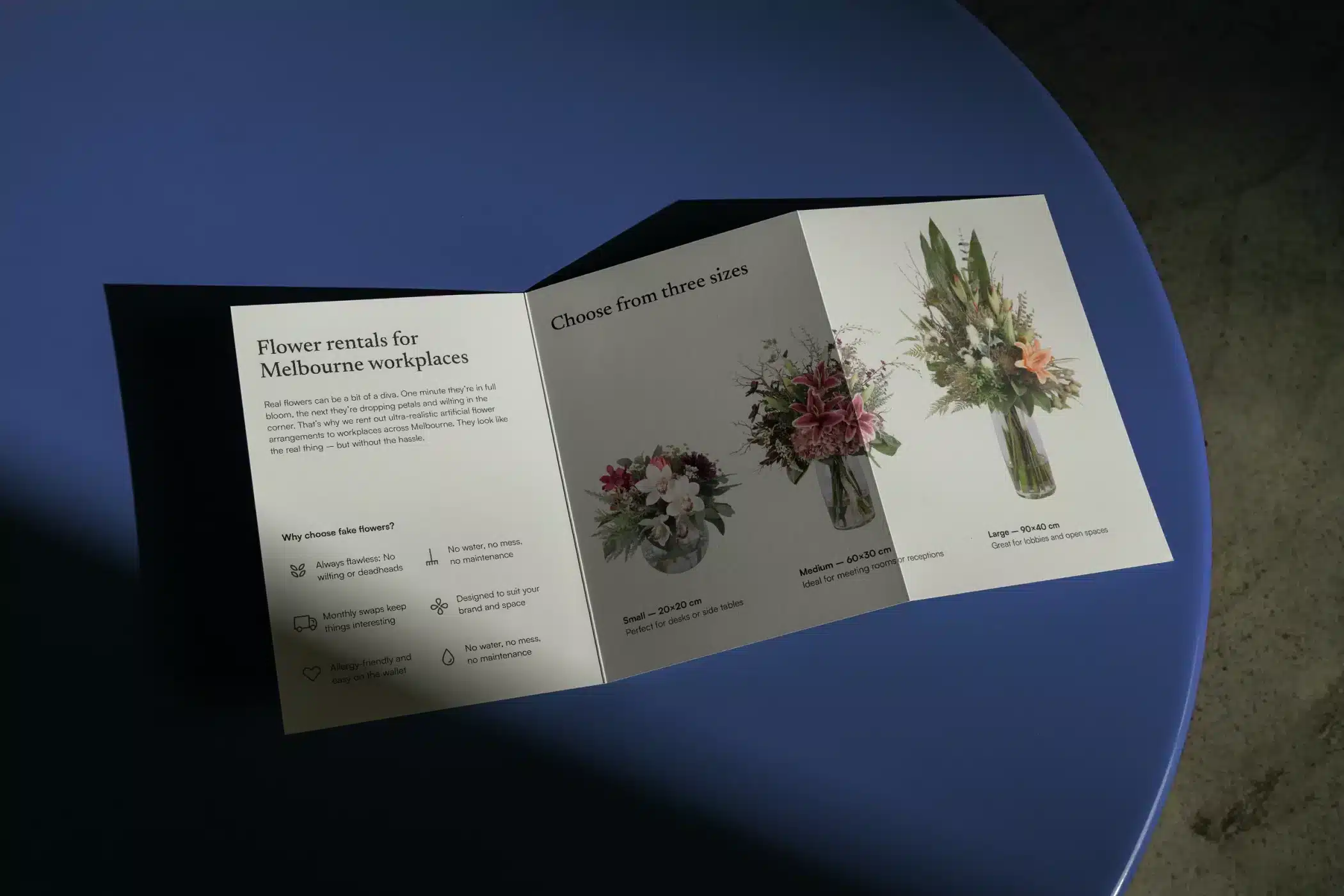
Premium mockups let you show your work at its best without the cost of printing or paying for photography and staging. The right one turns a simple layout into a portfolio-worthy image in seconds. These days, AI-generated mockups are another option. They’ve got a lot better. But generating something great takes time and skill, which is exactly what you’re short of when a presentation is due.
That’s why I still buy mockups from sites like Bendito, SédShop and Darkroom. These are shot by photographers with proper art direction behind them, and you can see it. In this list, I’ve curated 19+ premium mockup sites with pricing, licensing terms, style and categories for each one.
Good to know
Pricing and licensing terms are accurate as of September 2026, but they may change. Always verify the details on the provider’s website before purchasing.
The article also contains affiliate links. By buying through them, you can support my blog at no extra cost to you. In some cases you’ll even save, since a few of the sites have a discount code for my readers.
TL;DR
If you’re in a rush, here’s where I’d start for the most common projects. The full list below has many more sites.
- For a full brand identity presentation, Bendito Mockup has lifestyle-themed collections that work for a complete case study. Mockup Maison and Format are other favourites.
- For packaging, Darkroom’s mix of rendering and photography lets you change liquid colour, label shape and materials.
- For an app or web project in Figma, LS Graphics and Wannathis both offer a plugin.
- For motion and video, Hazard Mockups has animated After Effects templates for devices and billboards.
- For a client who’ll edit the files themselves, Moyo Studio offers Canva templates too.
- For a small budget, Mockup Cloud and Mr. Mockup both have plenty of free and affordable options.
- For a campaign in a specific city, Colortime Lab has the widest selection of real locations, including New Zealand.
Why these mockup sites made the cut
I reviewed them for realistic lighting, composition, value for money, flexible file formats, and clear licensing. These are almost exclusively premium mockup sites. If you need a mockup to test an idea first, I’ve collected the best free mockup sites here.
Best for: Lifestyle branding and editorial projects needing realistic and artistic photography and scenes

- Pricing: Individual mockups from $12 to $18, bundles from $39 to $149+
- Licences: 4 options—portfolio (1–5 people), commercial mini (up to 5 employees, single project), commercial pro (6–50 employees, single project), and enterprise (51+ employees)
- Format: Real photography in layered Photoshop files (.PSD)
- Categories: Apparel, packaging, print, stationery, urban settings, devices, cosmetics
- Discount code: “NINE20” for 20% off
Why I like them
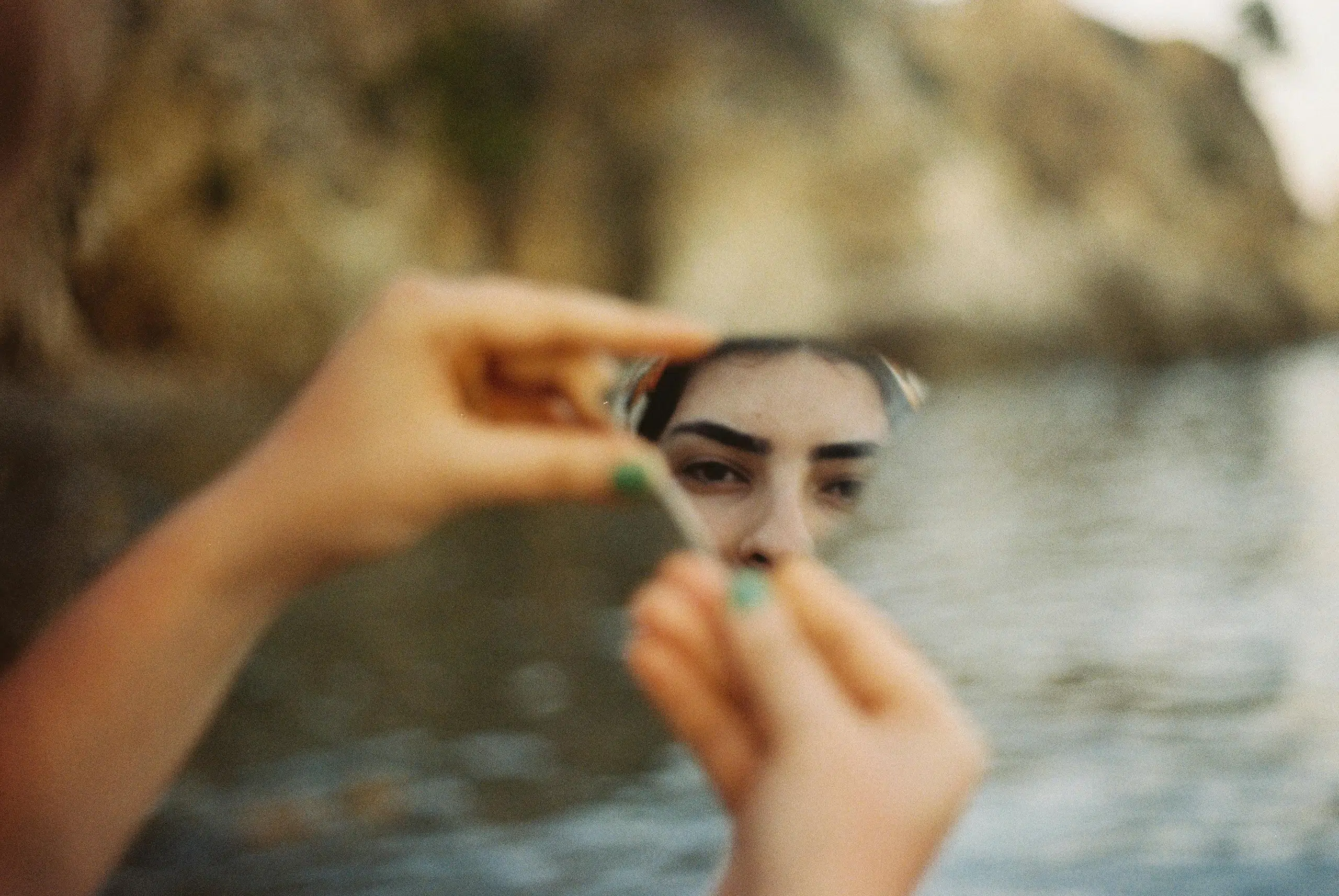
I go for Bendito for projects that need a youthful lifestyle vibe. Their lighting is atmospheric and the motifs are captured in real settings with beautifully staged photography, created in collaboration with renowned photographers.
Instead of just showing sterile objects, their mockups have texture and context. You’ll find everything there, from T-shirts and brochures to devices and pizza boxes. Their collections are so well curated that you can build an entire portfolio case study with a single bundle, and it will look like a coordinated photoshoot.
Some of Bendito’s mockups even let you customise the colours to fit your brand. And their freebie section updates with each new collection, so you can try the quality before committing to a bigger bundle.
Tip
Bendito discounts automatically when you buy multiple mockups. Since they’re based in Spain, prices include 21% VAT. If you’re a business outside Spain, you can enter your own VAT number at checkout.
Best for: Branding and portfolio presentations with minimal mockups that won’t distract from your work

- Pricing: Individual mockups from €14 (~$17), collections (seasons) from €29 (~$34), full store from €149 (~$177)
- Licences: Three options — standard (1 seat, up to 10k end products, no ads), commercial (up to 15 seats, up to 100k, includes paid advertising), and enterprise (unlimited seats, up to 250k, covers apps and games)
- Format: Real photos in layered Photoshop files (.PSD)
- Categories: Signs & billboards, stationery, devices, city-themed scenes, like tram wrappers
Why I like them
If I’m after a more minimal and calm vibe, I like to use SédShop. Their mockups focus on the objects—whether that’s devices, billboards or a tram—rather than putting too much emphasis on the surroundings. That makes your designs breathe. Like Bendito, the Hungarian studio works with real photography and no 3D renders.
There’s still plenty of variety. Each seasonal collection tells a different visual story, from Season 008’s focus on human interaction to Season 009’s snowy outdoor scenes.
The Entire Shop Bundle covers 274 mockups and includes every future release, so the library keeps growing after you buy.
Tip
Sign up for their newsletter, and you’ll get a few freebies to try out the quality. SédShop also applies an automatic discount when you pick your own mockups.
Best for: Web and app designers working in Figma and needing modern UI/UX device mockups

- Pricing: Pro (full access) from $12/month billed yearly, or $144/year. A cheaper Start plan at $9/month covers browser editing and PNG/JPG export only. Bundles from $49
- Licences: Single extended licence to use for client work
- Format: Figma, Photoshop (.PSD), or browser-based online editor
- Categories: Devices, branding, animated mockups, wireframe kits
Why I like them
LS Graphics’ Figma plugin lets you sync your designs to device mockups without ever leaving your canvas. For digital design work, that’s the fastest workflow you get. You don’t necessarily need Figma, though. Their mockups also work in Photoshop and their own browser-based editor.
With thousands of rendered assets, including isolated and scene-based mockups, you can choose what fits your project, whether that’s an mockup of the latest iPhone or complex 3D animations.
LS Graphics also offers plenty of free mockups, making it a good resource for professionals and budget-conscious beginners alike.
Tip
Try their free mockups first, and only buy the subscription if you’re doing regular client work. Depending on your usage, it might pay off, as it also includes illustrations and other useful assets.
By the way, you can only be logged in on one device at a time, which may be annoying if you switch between a laptop and a desktop.
Best for: Brand and social media designers, or any creative entrepreneur wanting a more feminine and elegant aesthetic

- Pricing: Bundles from $15, entire shop for $299
- Licences: Standard commercial-use licence covering personal and client projects, no reselling or redistributing the files
- Format: Layered Photoshop files (.PSD) or drag-and-drop Canva templates
- Categories: Devices, packaging (cosmetic, bags), stationery, social media, scene creators
- Discount code: “NINE15” for 15% off
Why I like them
Moyo Studio is ideal for lifestyle branding. With subtle shadows, organic textures, and warm, natural light, these mockups have a softer, more feminine aesthetic than most others on this list. It’s the mockup shop for the female entrepreneur scene.
That said, their expansion into video and Canva-native mockups is very practical for anyone. It means you can hand off templates to clients who aren’t Photoshop-savvy so their branding stays consistent even when you’re not involved.
Tip
Moyo Studio regularly runs a three-for-two style offer where the cheapest of three bundles is free.
Best for: Designers and marketers looking for an affordable, large library that covers almost every category you can imagine

- Pricing: Individual mockups from $2, full access fluctuates between $99 and $149 (includes 1 year of new releases and permanent access to everything else), and a large free selection
- Licences: Perpetual multi-use licence covering personal and commercial projects, use across multiple projects, no reselling the files themselves
- Format: High-resolution Photoshop (.PSD) with smart objects; increasingly offering Figma-compatible sets
- Categories: Apparel, devices, packaging, signs & billboards, vehicles, stationery, scene creators (where you can arrange the scenes yourself)
Why I like them
Mockup Cloud is probably the best value for money on this list. Their full access deal is a good option for freelancers and agencies alike, offering over 20,000 products for a one-off fee, plus a browser-based editor, which is handy for anyone without a Photoshop licence.
The trade-off is quality. While you’ll find some premium mockups there, including a few from creators like Art Directed Mockups, Renderteam and SédShop.Co, there are also a lot of average ones. That said, they cover almost any motif you can think of, which is why I go there for a quick test rather than something for a finished presentation. I paid once and can download whatever I need.
Tip
The full access price keeps changing. If you’re not in a hurry, it’s worth waiting for one of their sales. Also check the Freebie section, as it’s one of the more generous in the industry. It’s a good way to test whether the quality fits your work.
Best for: Industrial, construction, and OOH (Out-of-Home) branding, plus devices with a very realistic edge

- Pricing: Individual mockups $14, animated mockups $24, bundles from $29, entire shop for $299
- Licences: Commercial (1 person, no paid ads, 1 social account), extended commercial (up to 15 people, allows paid ads, 3 social accounts), and corporate (unlimited team size and social accounts)
- Format: High-resolution Photoshop (.PSD) files and animated After Effects (.AEP) templates
- Categories: Vehicles (vans, trucks), construction (hoarding, fences), urban OOH, animated devices, stationery, and apparel
Why I like them
Hazard is my top pick for down-to-earth branding projects. If you need a realistic delivery van or a construction site fence that doesn’t look like a generic 3D render, this is where to find it. I’m also a fan of their location-based collections. Their Amsterdam, Milan and New York sets let you place your work in specific urban environments.
Hazard also offers beautiful animated mockups. Their MacBook Pro, iPhone, and billboard animations are perfect for social media reels and case studies where static images no longer cut through.
The full shop now covers over 420 mockups and includes every future release, so the library keeps growing after you buy.
Tip
If you’re not sure yet, start with a single mockup rather than the full shop. The animated ones are worth a look as they’re harder to find elsewhere.
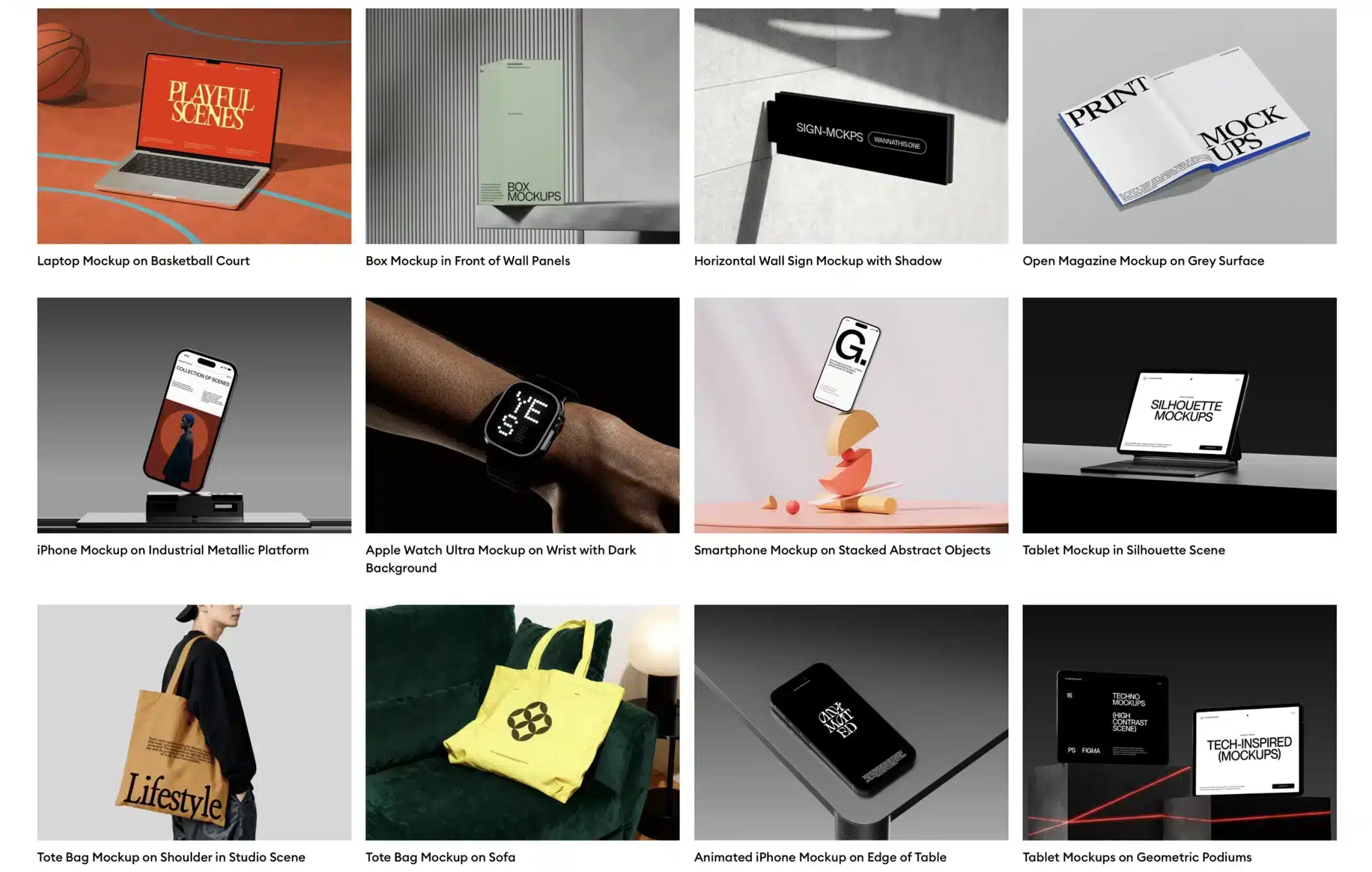
Best for: Playful as well as clean 3D tech aesthetics for designers who want a fast, Figma-integrated workflow
- Pricing: Individual collections from $32; Pro Access for $12/mo (billed annually) for unlimited downloads
- Licences: Individual ($12/mo, solo designers and freelancers), business ($19/mo, companies with 10+ employees, 2 to 6+ users), and enterprise ($83/mo, 30+ employees, 20 users, includes the extended licence)
- Format: Figma, Photoshop (.PSD), and their own online editor
- Categories: Devices, 3D characters, abstract shapes, street signage, print mockups (business cards, apparel)
Why I like them
All the Wannathis mockups use 3D renders, but they manage to look playful rather than plasticky. Like LS Graphics, the platform has its own Figma plugin, which is a big time-saver for UI/UX designers. You can drop your frames directly into a 3D scene without leaving your canvas.
Their library doesn’t stop at mockups; it also includes 3D illustrations, animated loops, and avatar builders that help you build a cohesive visual language for a startup or an app. If you’re working in the tech or SaaS space, it’s worth a look.
Tip
The yearly plan is the only sensible way to buy, because quarterly billing costs roughly twice as much per month. Beware that the extended licence isn’t automatically part of Pro Access, and you’ll need it if you use the assets in an app.
Best for: Luxury packaging and high-end materials that require realistic tactility

- Pricing: Individual mockups A$30 (~$21), bundles from A$75 (~$53), lifetime membership from A$499 (~$349)
- Licences: Standard (freelancers and studios, portfolio and case studies), commercial (emerging businesses advertising a product or service), and corporate (larger businesses), plus a student and educator licence
- Format: Mix of rendering & photography organised into layered Photoshop files (.PSD) with advanced material mapping
- Categories: Bottles, jars, tins, cans, foil/metallic packaging, skincare components
Why I like them
While I don’t design much packaging, Darkroom is my favourite for this type of work. Their blend of photography and rendering makes the files extremely customisable, so you can try out many options before you have to print or prototype anything. You can even tweak the colour of the liquid in a bottle, and they often offer several label or material options per mockup. And if you can’t find what you’re looking for, they even offer bespoke mockups.
The lifetime membership is a one-time payment rather than a subscription, and it covers every product in the store including future additions. Just note that it’s tied to your account and covers a single brand.
For context, Darkroom gave me access to their full library after I published this article. The recommendation came first. Still, if I were a packaging designer, I’d get it.
Tip
Sign up for their newsletter to grab a freebie and test the quality first. If you’re still studying, email them directly about their student and educator licence.
Best for: Modern, minimalist versatility and Swiss-style editorial scenes

- Pricing: Individual mockups from $19, seasonal collections from $79, subscription from $29/month, or build your own bundle and save up to 40% (20+ assets). All prices exclude tax
- Licences: Three options — standard (self-promotion only, organic social posts), commercial mini (companies up to 3 employees, limited promotional use), and commercial max (unlimited promotion, or companies with more than 3 employees)
- Format: Layered Photoshop files (.PSD), stock imagery, and motion templates
- Categories: OOH (city scenes), apparel mockups, print, devices, packaging, signage, stationery, vehicles, social media
Why I like them
Mockup Maison’s mockups are among the most versatile on this list. Their minimal scenes give your work the space to take centre stage. The mockups feel designed, yet never overly precious or sterile. I especially like that you can often adjust the background colours to fit your project perfectly, which also makes them reusable for multiple projects.
You’ll find themed collections for hotels, wellness or yoga projects, as well as city scenes from London, Tokyo, Oslo and New York. Everything is shot as real photos rather than renders.
Their library now covers more than 3,000 mockups, stock images and motion templates, and you can buy access with credits instead of a subscription if you only need a few.
To be transparent, Mockup Maison gifted me 30 mockups as a thank-you after I wrote about them.
Tip
All prices exclude tax, so the checkout total will be higher than the listed price.
Best for: High-resolution print and device mockups with natural lighting, and a good alternative to Bendito, SédShop.Co and Mockup Maison

- Pricing: Individual mockups around $18, bundles from $49, full store access for $360 (337 mockups)
- Licences: Standard licence (personal and client presentation work) and extended licence (for commercial campaigns and advertising)
- Format: Professional photography in high-resolution layered PSDs
- Categories: OOH (billboards and signs), print editorial, devices (MacBook, iPhone), and lifestyle scenes
Why I like them
True to their name, these mockups are art-directed to the same standard as other boutique mockup sites like Mockup Maison and Bendito. I find myself coming here whenever I can’t find what I need on these sites.
All mockups are based on high-resolution photographs with natural lighting. And, as with most premium mockup sites, their files are neatly organised into smart objects and layers, so they’re easy to work with—whether you need device, stationery, apparel or book mockups.
They say agencies like Pentagram and Gretel use their mockups.
Tip
If you’re a student, reach out to them. They offer a student discount that isn’t advertised on the site. Everyone else can get 15% off a first order with the code they hand out to new subscribers.
Best for: Curated iconic, premium mockups used by world-leading studios

- Pricing: Individual mockups from $14, bundles from $44
- Licences: Three options—portfolio (presentation and case studies, companies of any size), commercial (advertising, teams of 1–20), and commercial plus (advertising, teams of 21+). Commercial and commercial plus each cover one product or service, so a second campaign means buying again
- Format: Mostly layered Photoshop files (.PSD), varies by creator
- Categories: Editorial, high-fashion branding, botanical/organic assets, brand guidelines, apparel, devices, packaging, print, signage, stationery
Why I like them
The Brand Identity is highly curated. They host third-party assets from creators like Bendito, Showcase and Pecūliar, so you get exceptional quality. If you want your portfolio to look like it belongs on the front page of a design magazine, that’s the place to look.
That said, if you already know which creator you like, buy directly from them instead. You’ll usually pay less and support them more. TBI is most useful when you want to compare several studios side by side.
Tip
Their portfolio licence has no company size limit, which makes TBI simpler than most if you’re a larger studio only wanting to present case studies.
Best for: Designers in search of unique, unconventional motifs that add character and a human touch

- Pricing: Individual mockups £14 (~$19), collections from £60 (~$82)
- Licences: Standard licence (included free, unlimited personal and agency portfolios and social media, client use limited to presentations), commercial MINI £57 (small to medium teams, e-commerce, digital ads, client promotion), commercial MAX £197 (large businesses and agencies, unlimited global promotion)
- Format: Real photography in layered Photoshop files (.PSD)
- Categories: Apparel, devices, packaging, signage, print, and themes such as “Motel,” “Casino,” and “Japan” series
Why I like them
Format is a good source for projects you want to feel a bit indie or quirky. They have lots of unusual scenes, like someone reading a book in a motel bed or a flyer lying on a billiard table, that add a surprising touch of personality you won’t find on the more corporate sites.
Format Mockups’ scenes almost look like paused film frames. There’s a lot of atmosphere in them, and the collections are all themed so that you can build a whole portfolio set from just one.
Tip
You only need one extended licence per order. If you add commercial MINI or MAX to your basket, it’ll cover every mockup you buy in the same transaction.
Best for: Designers who want a large, well-organised library of clean, minimal mockups at a lower price point

- Pricing: Individual mockups from £5 (~$7), collections from £30 (~$41)
- Licences: Two options—standard (personal and agency portfolio use, presentations, organic social media) and commercial (advertising and promotion, for companies of any size)
- Format: Mix of real photos and realistic renderings in layered Photoshop files (.PSD)
- Categories: OOH (billboards), tech (iPhone Pro, MacBook), business cards, stationery
Why I like them
Layers offers incredibly minimalist mockups that are perfect when you want zero distractions. Their billboard and device scenes are some of the cleanest in the industry, which makes them my go-to for client presentations where the goal is to let the design talk.
Beyond the shop, Layers does bespoke work. If you’re working for a larger agency and can’t find the exact object or angle you need, they’ll collaborate with you to create custom mockups.
Tip
Layers’ commercial licence has no company size tiers, which pays off for larger studios or agencies.
Best for: Designers who want city-specific street scenes with a strong editorial mood

- Pricing: Individual mockups from $18 to $32, city bundles from $144
- Licences: Standard (individuals/studios, unlimited projects, presentations, pitches and client presentations, but no paid ads and no use by the client), Advertising (agencies/businesses 1–20 employees), and Advertising Plus (larger teams and unlimited reach)
- Format: Real, high-resolution photography in layered Photoshop files (.PSD)
- Categories: OOH (ads, billboards, posters), print, books, devices, objects (books, stands)
- Discount code: “nine20” for 20% off
Why I like them
Vibes Mockup delivers an editorial look, yet you don’t see them all over Behance. Their collections are city-specific and beautifully minimal. They also feature very plain device mockups, books or A-frame signage.
Tip
The collections cost a little more than on some other mockup sites, but I’ve secured a 20% discount code for my readers (nine20) to save you some money. This is a non-affiliate discount, so I don’t earn anything when you purchase.
Best for: Location-specific urban scenes, amongst others

- Pricing: Individual mockups $19, bundles from $39, full access for $399
- Licences: Standard (not for paid ads, apps, games, etc.), extended (for up to 20 users, includes paid advertising and up to 10 social accounts)
- Format: Real photos in layered Photoshop files (.PSD) and video assets
- Categories: Devices, outdoor (billboards, posters, vehicles), print, packaging, stationery, 3D, events, location-themed scenes
Why I like them
Having lived in Wellington for over a decade, I have a soft spot for Colortime Lab. They are probably the only premium mockup site featuring New Zealand street scenes. Being able to use a mockup from the city you’re designing a campaign for, whether that’s Bangkok or London, adds a sense of authenticity that clients will notice.
Beyond city sets, Colortime Lab offers a range of other well-organised mockups and studio bundles. These include motifs from business cards to full-scale bus wraps. This makes them a good choice for all sorts of projects.
Tip
The extended licence isn’t available at checkout. You have to email them. Factor that in if you’re on a deadline with a client campaign. Signing up for their newsletter saves you 10% off your first purchase.
Best for: Atmospheric tech presentations and designers who want a sophisticated gallery feel for their work

- Pricing: Individual mockups from €20 (Static) to €30 (Static + Video), curated bundles from €80, or Directory Plus for unlimited access to 360+ scenes
- Licences: Standard (personal/studio use, unlimited projects), commercial (1–20 employees), commercial plus (21+ employees, ads, etc.)
- Format: High-resolution Photoshop (.PSD) with smart objects, a Figma plugin and browser-editor
- Categories: Devices (iPhone, iPad, MacBook, Studio Display), gallery and interior scenes, print and editorial
Why I like them
Directory mockups are incredibly clean and minimal. I’m particularly drawn to their device mockups, which come in a wide variety of angles that you won’t find on other platforms.
While many premium mockup sites focus on realism, Directory focuses on atmosphere. Some of their rendered scenes use soft lighting and cinematic shadows that make a simple phone screen look like art. Others look completely realistic.
The site also has a Figma plugin and a subscription called Directory Plus, which unlocks the full library of 360+ scenes across 22 collections.
Tip
They offer 24 free mockups so you can test the quality and the plugin before deciding between single purchases and the subscription. Files render locally on your device, which matters if you work under an NDA.
Best for: Discovering and buying from multiple independent creators in one place

- Pricing: Varies by creator
- Licences: Standard (up to 3 seats, no paid ads, 10k sales cap), commercial (up to 12 seats, allows paid ads, 100k sales), commercial+ (up to 40 seats, 250k sales, allows embedding in desktop and mobile apps), plus a corporate licence on request
- Format: Varies by creator, mostly layered Photoshop files (.PSD)
- Categories: Across all categories, depending on the creator
Why I like them
Like TBI, Supply Family is a curated marketplace for premium design assets from creators such as Mockup Maison, Bendito, and Orbyt Studio. Instead of digging through an enormous library, everything here is pre-selected for quality. It’s a great source when you need the full package, since you can buy fonts and textures too.
Tip
Always check whether the creator also sells directly, as buying from their shop usually means a better cut for them and a better deal for you.
Best for: Diverse styles and community-created assets from a trusted industry name

- Pricing: Individual mockups from around $8, plus a free section
- Licences: One licence covering personal and commercial use, no team size tiers, no per-campaign repurchase. Reselling or redistributing the files isn’t allowed
- Format: Layered Photoshop files (.PSD), including animated versions
- Categories: Packaging, branding, devices, posters, billboards and many others
Why I like them
Founded by Anthony Wood, the former CEO of Shillington Education, this site understands the needs of design students and professionals. While the collection is small, the range of items is interesting. You’ll find storefront mockups, ice cream tubs, and everything in between.
After working through the licence tiers on most premium sites, House of Mockups is refreshingly simple. You buy one licence, and that’s it.
Tip
Check the free section first to see if their style fits your project.
Best for: Designers on a budget who also build and sell templates or digital products

- Pricing: Large free selection, premium mockups from $10
- Licences: One licence covering personal and commercial use, including mockups used inside items or website templates you sell, without attribution. Reselling or redistributing the PSD files themselves isn’t allowed
- Format: Clean, high-res layered Photoshop files (.PSD)
- Categories: Stationery, packaging, devices, print, apparel, branding sets
Why I like them
Mr. Mockup has been a name in the design community for years, and the best thing about their mockups is that many are completely free. Their freebie section is one of the best.
Their licence is generous too. You can use the mockups inside items or website templates you sell, on a marketplace or your own site, without attribution. The only limit is that you can’t resell the PSD files themselves.
Tip
Start with the free section. It’s large enough that you may not need to buy anything, and it uses the same licence terms as the paid mockups.
Other mockup sites
This is just a small selection of the hundreds of mockup sites available.
If you haven’t found what you’re looking for, or you’re not quite ready to invest in a premium mockup yet, here are some more sites worth checking out in 2026—sorted from A to Z:
- Akoya: Photorealistic quality on par with sites like Bendito or Mockup Maison
- Creative Market: Less curated, but you’ll find all styles and motifs from independent designers
- Creatoom: A massive library with a mix of freestanding objects and scene mockups
- Gumroad: Marketplace for independent creators with beautiful and unique alternatives to larger mockup stores
- Kittl: Platform with templates and built-in editor to create mockups, social media graphics and more
- Minimal Mockups: Amazing resource for free high-end mockups
- Mockup Reality: Funky, 90s-inspired grungy mockups
- Mockup Tree: Big selection of free mockups sourced from across the web
- MockUPhone: Simple, free browser tool to wrap your UI designs in the latest phone and laptop frames
- Morflax Studio: 3D and animated mockups where you need to customise angles and motion in a browser editor
- Pixeden: Subscription-based marketplace also offering many free mockups
- Semplice Supply: Portfolio building tool from Van Schneider, offering some minimalist mockups
- Unblast: Huge library of free, high-end mockups
- YouWorkForThem: Great design marketplace that offers mockups alongside unique fonts and textures
Wrap-up
The right mockup helps you present your work at its best without organising a whole photoshoot. And with the premium mockup sites in this list, you can still create enough atmosphere to set a mood your client or audience can connect with.
To finish off, here are a few extra tips to keep in mind:
- Check the fine print: Licensing terms can vary wildly. Always check if your licence covers only client presentations or global commercial use. You don’t want to get in trouble for promoting a project on your Instagram when you’re technically not allowed to.
- Mix and match: The most realistic portfolios often pair mockups from different sites. That said, you can achieve cohesive results for a case study by selecting a bundle from a single photoshoot.
- Shadows and grain: Even the best mockups might benefit from a little tweak. Adjust the shadow opacity or add a noise layer in Photoshop to help your design feel integrated and make different mockups seem related.
- Subscription or one-off: If you only need a mockup now and then, buy single files or small bundles. A mockup subscription like LS Graphics, Wannathis or Directory Plus pays off when you’re presenting to clients regularly. Platforms like Mockup Cloud sit in between with a more affordable one-off fee for permanent access. Darkroom does the same at the premium end.
Need more resources?
You might like my other articles:
- Best free mockup sites: My curated list for a small budget
- Top stock photo sites: Authentic, on-brand imagery for your case studies and client work
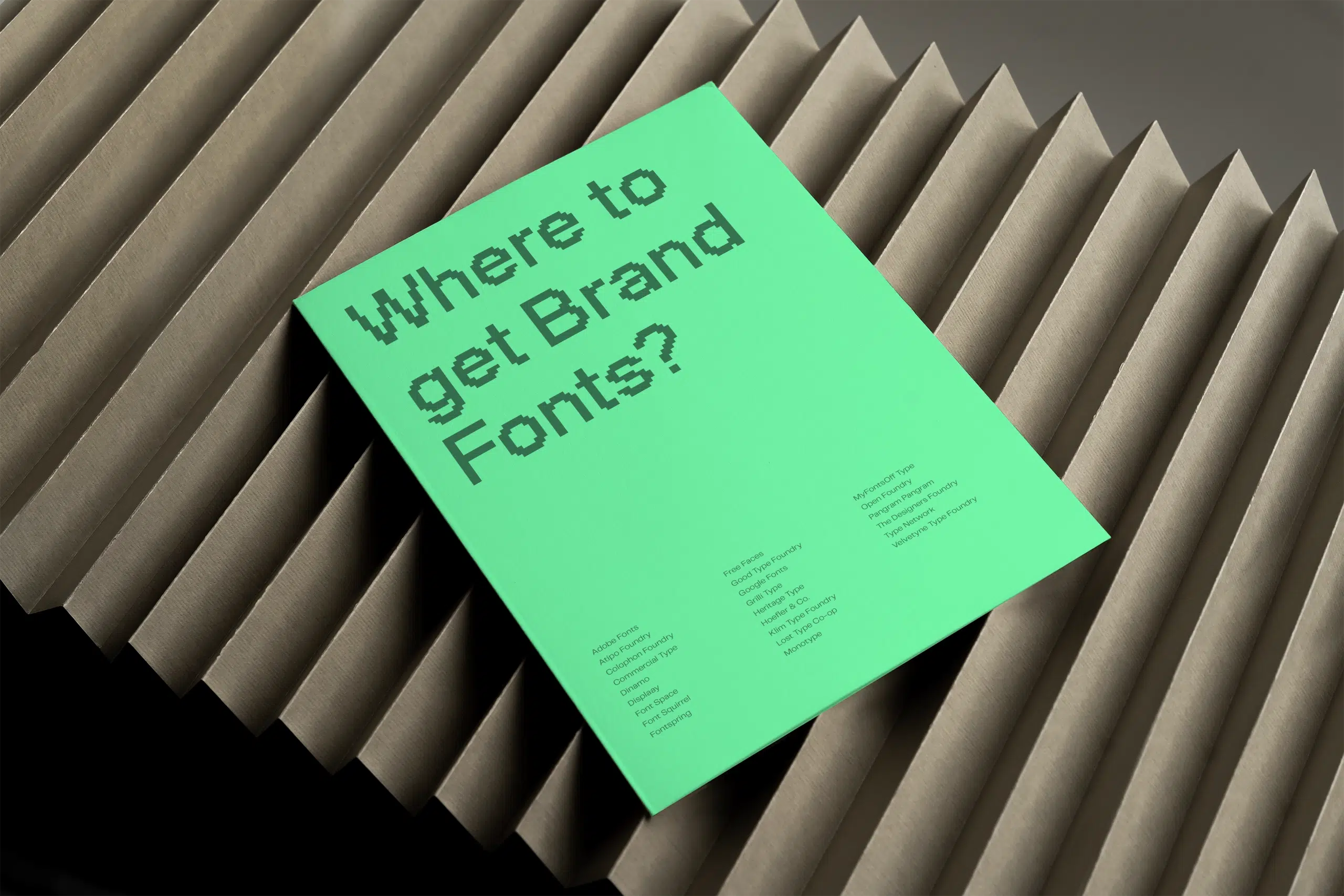
- The best websites to find fonts for your brand
- All the best branding resources and tools in one place
Lastly, this list will keep changing because design never stands still. If you’ve found a great mockup site that I haven’t mentioned, please let me know—I’m always keen to discover new favourites. Just send me a message!
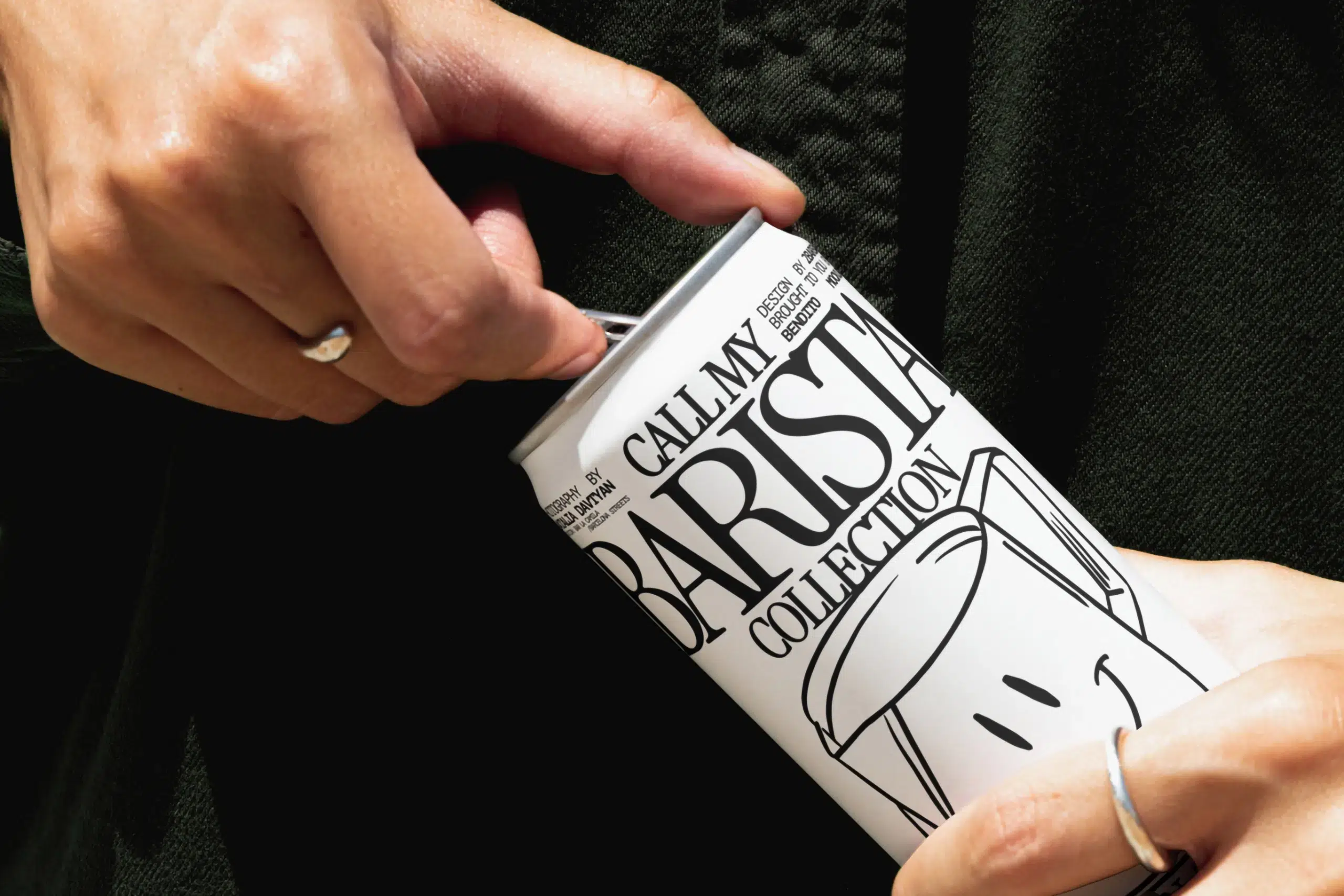
Title image by Bendito Mockup